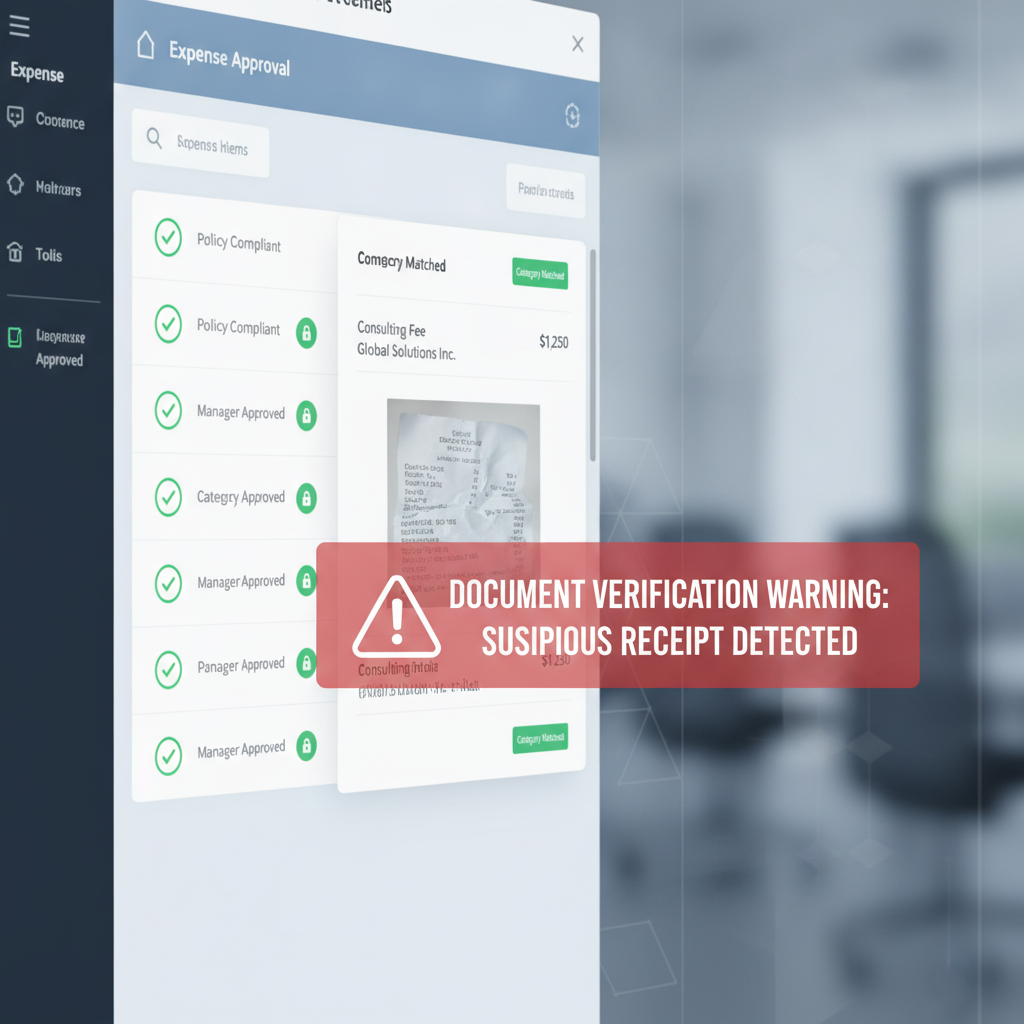
A green compliance checkmark is easy to over-trust.
The category is correct. The amount is under threshold. The employee attached a receipt. The manager approved it. The duplicate check stayed quiet.
That feels like control. But it only proves the expense report was internally consistent with the policy rules the system knows how to enforce.
The control gap: a receipt can satisfy policy and still be forged. Expense-policy compliance is workflow validation. It is not receipt authenticity verification.
Why This Angle Matters Right Now
Recent operator discussions about expense review workflows keep circling the same pattern: employees attach receipts, the platform categorizes the spend, a manager approves, and accounting does a second pass when needed. That is exactly how many teams think expense control should work.
At the same time, SAP Concur has publicly argued that AI-generated receipts are realistic enough to evade traditional human review at scale, and Microsoft’s current Dynamics 365 guidance still centers receipt OCR on extracting fields and matching uploaded receipts to expenses.
Both signals point to the same operational truth: systems are getting better at processing receipts, but most workflows still trust the upload itself too early.
What Policy Compliance Actually Proves
Expense policy engines are useful because they answer questions like:
- Is the amount within policy?
- Is the category allowed?
- Was a receipt attached?
- Did the claim route to the right approver?
- Does this look like a duplicate or outlier?
Those are real controls. They reduce clerical mistakes, speed reviews, and create consistency across large reimbursement programs.
But they do not answer a different first-order question:
Was the uploaded receipt itself authentic before the workflow started trusting it?
How a Forged Receipt Still Looks Compliant
The dangerous case is not a sloppy fake. It is a plausible one:
- An employee edits or generates a receipt so the merchant, total, and date still look ordinary.
- The file uploads cleanly into Dynamics 365, SAP Concur, QuickBooks, or a connected expense stack.
- OCR or manual review sees a coherent receipt that matches the claimed expense.
- Policy checks pass because the amount, category, and timing sit inside allowed bounds.
- The report gets approved because nothing in the workflow asked whether the file itself showed signs of tampering.
That is why “policy-compliant” can become a false trust signal. The workflow validates the claim against the rules, not the file against reality.
Why ERP Teams Fall Into This Trap
Microsoft’s Dynamics 365 documentation is explicit that receipt OCR is there to extract merchant, date, and total amount, and to help match unattached receipts to unattached expense transactions. That is valuable workflow automation.
SAP Concur has also highlighted how AI-generated receipts are making manual expense auditing less reliable, which is exactly what finance teams would expect once fake receipts become faster to create and harder to spot visually.
QuickBooks and other lean-finance stacks follow the same broad pattern: make receipt capture easier, move the expense into the system quickly, and rely on review plus bookkeeping controls downstream.
All of those systems help process expenses. None of that processing automatically proves the attachment deserved trust.
Where Verification Belongs Instead
The safer order is simple:
- Upload the original receipt image or PDF.
- Run document verification on the original file.
- If low risk, continue into OCR, receipt matching, policy checks, approval routing, reimbursement, and ERP posting.
- If suspicious, branch into manual review before downstream controls compound trust around the attachment.
This preserves the value of policy enforcement while stopping the workflow from becoming confidently wrong about a manipulated file.
What the Verification Layer Should Check
Based on the current DocVerify product and codebase, that pre-policy verification step can screen uploaded receipts, screenshots, scans, and PDFs for signals such as:
- metadata anomalies that do not fit the claimed source file
- suspicious PDF structure and suspect pages in uploaded PDFs
- screenshot or recompression traces that suggest file laundering or re-export
- font and rendering inconsistencies near totals, taxes, dates, or merchant lines
- hidden-content or prompt-injection signals in PDFs when the file will later be read by AI workflows
- model-based forgery scoring and suspicious-region heatmaps so reviewers know where to inspect first
Those checks answer the question policy engines do not: whether the receipt itself looks like trustworthy evidence.
Related AP workflow: if your team also relies on invoice OCR and approval routing, read Invoice OCR Is Not Invoice Trust. The same “compliant but unverified” problem shows up in payables before payment runs begin.
The Practical Question for Controllers and ERP Admins
If your current control story is “the receipt was attached and the report passed policy,” you still have a trust gap.
Policy engines should remain in the workflow. They are just not the place to make the authenticity decision.
For AP managers, controllers, and ERP admins, the right design question is:
Before the system decides the expense is compliant, what decides the receipt is real?
If the answer is still “the approver will probably notice,” the workflow is relying on luck more than it looks.
Where DocVerify Fits
DocVerify gives finance and automation teams a document-trust layer before reimbursement and bookkeeping workflows treat the upload as evidence. Teams can screen receipt PDFs and images through https://docverify.app before OCR, policy checks, approvals, and downstream ERP actions inherit confidence from a file that may never have earned it.
- Try DocVerify: https://docverify.app
- Related AP reading: Invoice OCR Is Not Invoice Trust
- Dynamics-specific angle: Receipt Match Is Not Receipt Trust
- Broader ERP angle: The ERP Expense Fraud Gap