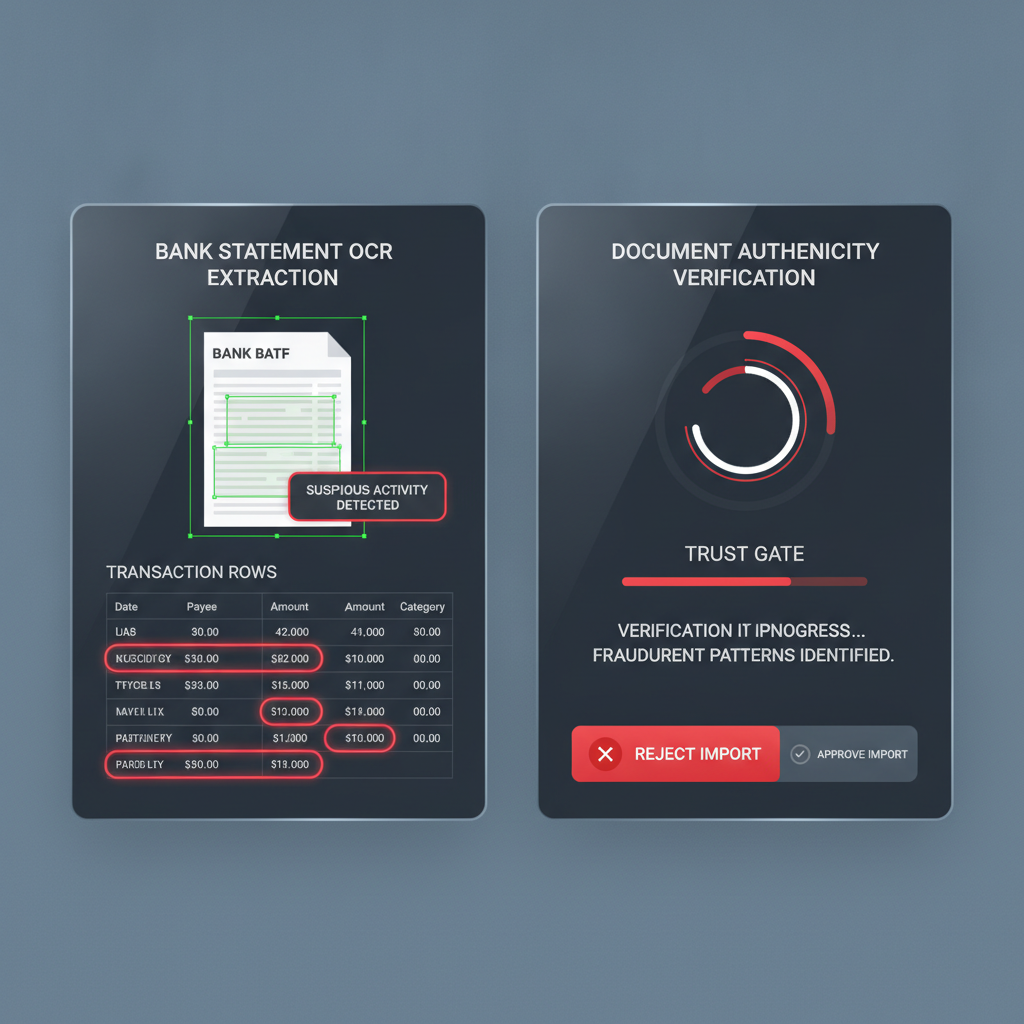
Bank statement OCR is having a moment.
Accounting teams want faster imports. Bookkeepers want PDF-to-CSV conversion that does not eat half the day. Lenders and fintech ops teams want transaction rows extracted from uploaded statements without manual rekeying. Product teams keep adding bank statement upload paths because customers still send PDFs, screenshots, and exported files.
All of that is useful. But it creates a repeated workflow mistake: teams start treating extraction success as proof that the uploaded statement deserves trust.
The core distinction: bank statement OCR answers “what text can we read from this file?” Document verification answers “should this file be trusted before we act on the extracted text?”
Why This Is a Strong Content Gap Right Now
External workflow chatter keeps pointing in the same direction. Operators compare OCR stacks for financial documents, accounting teams trade tools for converting statement PDFs into import-ready files, and QuickBooks continues documenting manual upload paths for statement data and file-based transaction imports. The market is getting better at extraction, not automatically better at document trust.
That matters because the most dangerous bank statement is not the obviously fake one. It is the one that looks routine enough to extract cleanly, convert neatly, and move downstream as if the file had already earned trust.
What OCR Actually Does Well
OCR and statement-extraction tools do several jobs well:
- read transaction tables from PDFs, screenshots, and scanned statements
- normalize dates, descriptions, and amounts into accounting-ready columns
- convert files into CSV, QBO, OFX, or internal schemas for import
- reduce manual keying for bookkeeping, underwriting, and review operations
Those are legitimate wins. But none of them are evidence that the uploaded statement was not edited before upload.
Where Teams Get Confused
The confusion usually starts when the workflow becomes smooth:
- A user uploads a bank statement as a PDF, image, or screenshot.
- The extraction layer reads the rows successfully.
- The imported data looks tidy in bookkeeping, underwriting, or review software.
- The team starts debating the business meaning of the transactions instead of whether the source file itself was trustworthy.
That is how manipulated statements gain leverage. A forged or selectively edited statement can still be easy to parse. OCR does not fail just because the content was changed upstream.
Why This Shows Up Across Multiple Workflows
This is not only a bookkeeping issue.
- Bookkeepers and accountants import uploaded statements into reconciliation or cleanup flows.
- Lenders and underwriters extract balances, deposits, and reserves from applicant-submitted statements.
- AP and vendor-risk teams sometimes accept statements or support files as proof of account ownership.
- AI document pipelines summarize, classify, and route statement data automatically once extraction succeeds.
Different departments, same trust problem: the workflow is optimized around reading the file before verifying the file.
What Verification Adds Before OCR
A document-verification layer should run earlier, at intake, before the statement becomes source evidence for import or decisioning.
Based on the current DocVerify product and codebase, that means checking PDFs and common image uploads for signals like:
- metadata anomalies that do not fit the claimed document origin
- suspicious PDF structure that may indicate hidden edits or unusual revision history
- screenshot and recompression patterns that flatten provenance but leave forensic traces
- font and glyph inconsistencies around balances, dates, or transaction rows
- clone or tamper indicators where values or regions may have been patched
- model-based suspicious-region localization so reviewers know where to look first
That is the missing job OCR does not claim to do.
A Practical Workflow for Finance Teams
- Collect the uploaded bank statement through the normal intake channel.
- Run document verification first before OCR, conversion, import, or AI summarization.
- Allow low-risk files into extraction so the speed benefits of OCR remain intact.
- Escalate suspicious files for replacement, direct-source retry, callback verification, or manual review.
This keeps the workflow fast without letting extraction success become a false trust signal.
Where DocVerify Fits
DocVerify is built for that pre-extraction trust layer. Teams can screen uploaded PDFs and common image formats through https://docverify.app before bookkeeping imports, underwriting reviews, AP approvals, or agent workflows begin inheriting trust from the document.
If your current stack can read a bank statement but cannot tell you whether the uploaded file itself deserves trust, the workflow still has a fraud gap.
- Try DocVerify: https://docverify.app
- Related AP workflow: Invoice OCR Is Not Invoice Trust
- Broader bank-statement workflow: Bank Statement Verification Workflow
- QuickBooks import angle: QuickBooks Statement Extraction