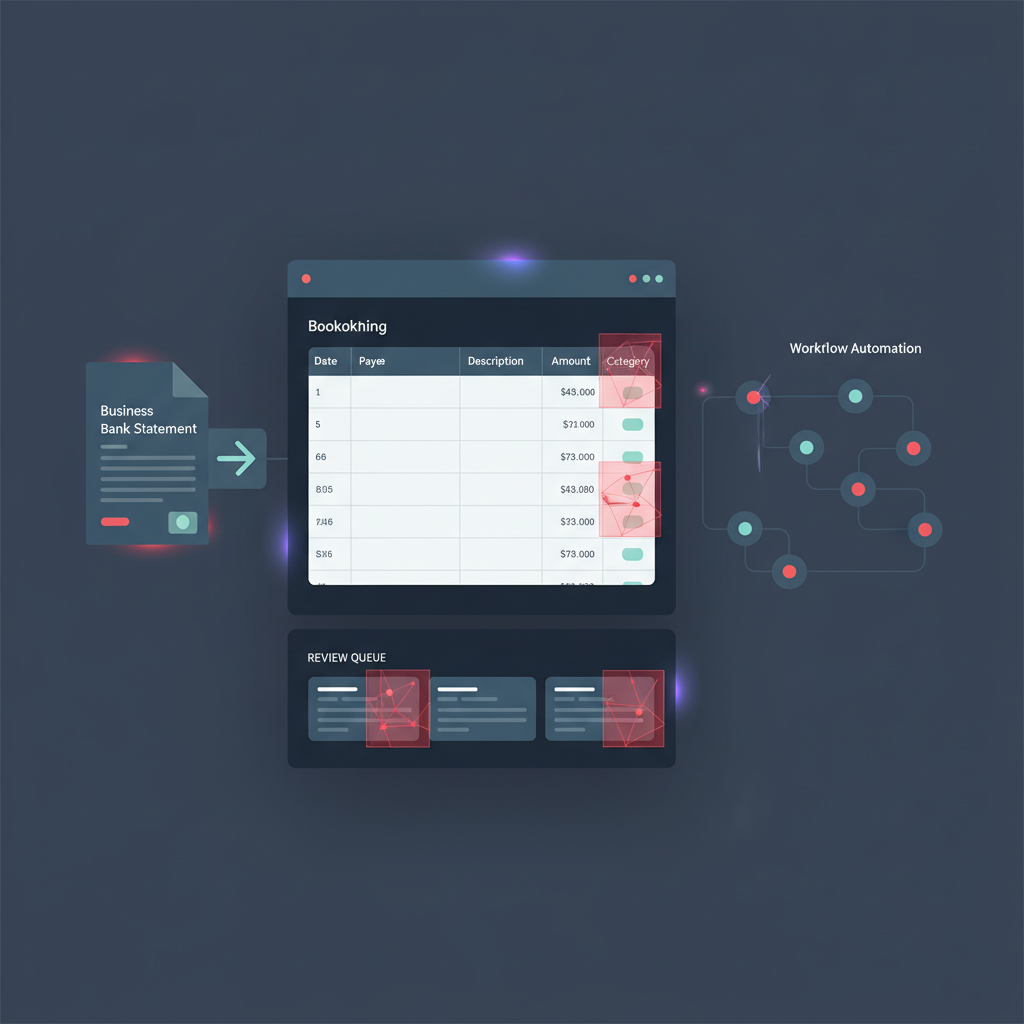
Bookkeeping teams are getting much faster at turning uploaded bank statements into usable accounting data.
QuickBooks-style statement extraction, PDF-to-QBO conversion tools, and accounting-automation workflows now make it easy to upload a bank statement, extract the rows, and push the transactions into a review queue for reconciliation.
That is useful. But it leaves one fragile trust assumption in place: if the uploaded statement can be parsed cleanly, the workflow may start trusting it before anyone verifies whether the document itself was manipulated.
The missing step: statement extraction helps accounting teams read uploaded bank statements, but it does not prove the uploaded PDF or image is authentic.
Why This Is a Real Workflow Gap Right Now
Accounting software and statement-conversion vendors increasingly market faster import from PDFs, screenshots, and image uploads. QuickBooks has pushed statement-extraction workflows that let teams upload supported statement files, review extracted transactions, and move them into normal bookkeeping flow. Converter vendors likewise promise QBO, OFX, CSV, or Excel exports from uploaded bank statements for faster month-end work.
That is exactly why this risk matters now. The workflow has become better at extraction and import, but not necessarily better at deciding whether the uploaded statement deserved trust in the first place.
If a manipulated statement becomes the source document for imported rows, the bookkeeping stack can turn false evidence into tidy accounting data very efficiently.
Where the Trust Problem Actually Starts
The dangerous moment is not the reconciliation step. It is the intake step.
Once a client, operator, or finance teammate uploads a statement, the rest of the workflow naturally wants to treat the document as source truth:
- statement extraction reads dates, descriptions, and amounts
- PDF-to-QBO or CSV conversion restructures the file into accounting-ready imports
- review queues make the imported rows look operationally clean
- reconciliation starts matching imported transactions to ledger activity
At that point, the false statement has already crossed the trust boundary.
Why Clean Imports Can Still Be Bad Evidence
A forged or edited bank statement does not need to break the parser to cause damage. In fact, the most useful fraudulent statements are the ones that import beautifully.
That can mean:
- editing a few deposits upward to inflate apparent revenue
- removing withdrawals, reversals, or overdrafts that would change the story
- rebuilding a statement from a template so all rows look internally consistent
- submitting screenshots or re-exported PDFs that hide the manipulation history behind a normal-looking upload
OCR and extraction can still read those altered rows perfectly. A conversion tool can still produce a valid QBO or CSV. A reviewer can still see a neat review queue. None of that answers the earlier question:
Was this uploaded bank statement altered before the workflow imported it?
Where Bank Statement Verification Belongs in the Workflow
The most useful place is before import, not after reconciliation has already started.
- Bank statement upload through client portal, email intake, shared drive, or bookkeeping dashboard
- Document verification on the uploaded PDF, screenshot, or image before extraction trusts the contents
- Clean files continue into statement extraction, PDF-to-QBO conversion, and import review
- Suspicious files escalate for clarification, replacement, or direct-source verification before accounting work continues
- Only then should imported rows influence reconciliation, reporting, or downstream decisions
This sequencing matters because once transactions have been extracted cleanly, the team is more likely to treat them as proven facts rather than claims coming from an unverified document.
What DocVerify Can Credibly Check Here
Based on the current product and codebase, DocVerify is well suited to this intake-layer decision because it already supports PDFs and common image uploads, including screenshot-style submissions and document-heavy financial workflows.
Relevant signals for uploaded bank statements include:
- edit-history and metadata anomalies that suggest unusual creation or modification chains
- font mismatch and glyph inconsistencies in changed balances or transaction fields
- clone and tamper signals where rows or values may have been patched or duplicated
- recompression and screenshot patterns that point to re-captured or re-saved statement workflows
- occluded PDF text and structural anomalies that suggest overlays or hidden edits
- model-based suspicious-region localization to show reviewers where the file deserves closer attention
That does not replace direct bank feeds, bookkeeping review, or reconciliation controls. It protects those controls from inheriting bad source evidence.
A Better Rule for Accounting Automation Teams
If an uploaded bank statement is important enough to seed imported transactions, it is important enough to verify before the system starts treating it like accounting truth.
- clean document + clean extraction + normal review → continue
- suspicious document → stop before import confidence compounds around false rows
- uncertain provenance → request a better source instead of letting a successful import stand in for trust
This matters most for manual imports, historical backfills, client-submitted statements, and supplemental files that sit outside direct bank-feed coverage.
Fast Import Is Not the Same as Trusted Import
Accounting automation is getting better. But a workflow that can import manipulated statements quickly is still importing the wrong thing.
If your team uses uploaded bank statements to feed QuickBooks-style review queues, CSV imports, or PDF-to-QBO conversion tools, bank statement verification belongs before extraction and reconciliation begin.
- Try DocVerify: https://docverify.app
- Related AP reading: Invoice OCR Is Not Invoice Trust
- Broader accounting angle: Client-Submitted Bank Statements