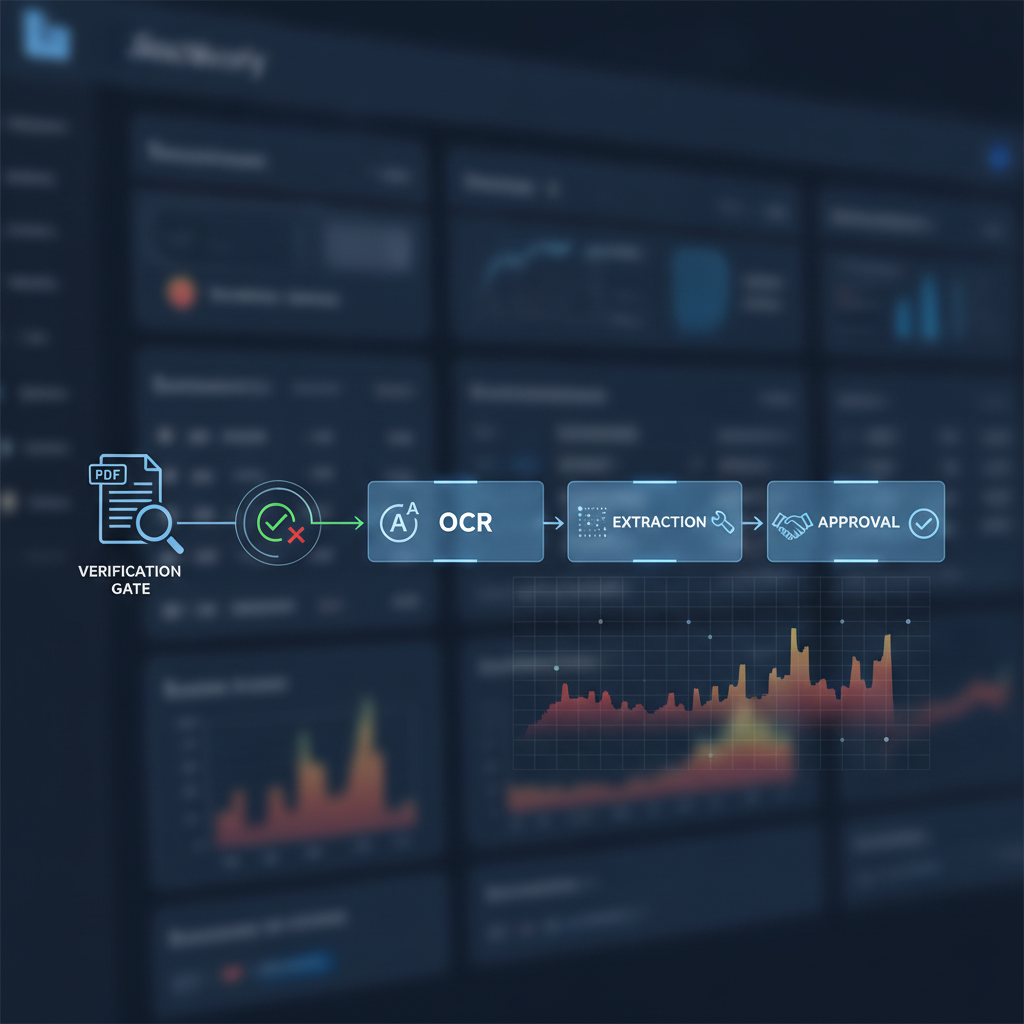
Most document workflows are good at reading files.
They are much weaker at deciding whether the file should be trusted in the first place.
That distinction matters whenever a user uploads a receipt, invoice, bank statement, pay stub, ID image, payment screenshot, certificate, or PDF that can change a real decision.
The practical definition: to verify a doc is to decide whether the uploaded file deserves trust before OCR, extraction, AI agents, underwriting, reimbursement, KYC, or approval logic start acting on it.
Opening a File Is Not Verification
A workflow can open a PDF, preview an image, extract fields, and store the attachment while still knowing very little about authenticity.
That is why "the document uploaded successfully" is not a trust signal. It only means the system received bytes it could process.
A manipulated document can still:
- render cleanly in the browser
- extract cleanly through OCR
- match the expected schema after LLM cleanup
- pass basic field validation because the forged data is plausible
- look normal to a reviewer moving through a busy queue
The workflow may be technically successful while the trust decision is still missing.
OCR Reads. Verification Judges.
OCR answers: what text is visible?
Extraction answers: which fields can we structure?
Policy logic answers: does the extracted data fit our rules?
Verification answers the earlier question: should this upload be trusted as evidence?
Those jobs should not be collapsed into one step. A fake invoice can have perfect OCR. A generated receipt can have the right merchant, date, tax, and total. A modified bank statement can contain valid-looking rows. The fact that the workflow can read the document does not prove the document is authentic.
What a Real Verify-Doc Check Should Cover
A useful document verification step looks at the file from several angles before the rest of the workflow inherits trust from it.
1. File and metadata signals
Who created the file? When was it exported? Does the metadata look consistent with the claimed source? Are there signs of editing, conversion, or unusual toolchains?
2. PDF structure
PDFs can carry layers, revisions, embedded objects, font subsets, hidden text, and structural anomalies that a visual preview never shows. A document can look flat while the file structure tells a messier story.
3. Image and compression artifacts
Images and scans can reveal recompression, copy-paste boundaries, inconsistent noise, cloned regions, or edited patches around high-value fields such as totals, names, dates, balances, and account details.
4. Font, glyph, and layout consistency
Small inconsistencies are easy to miss visually. A verification layer can inspect whether suspicious regions use different rendering behavior from the surrounding document.
5. Model-based suspicious-region localization
When a file looks risky, reviewers need more than a generic warning. They need to know where to look. Region-level signals help a human focus on the area most likely to have been changed.
6. Workflow-aware verdicts
A $12 receipt, a $12,000 invoice, and a borrower-uploaded bank statement should not have the same risk threshold. Verification should produce evidence the workflow can route: pass, hold, request replacement, retry direct-source verification, or escalate.
The Best Place to Verify Is Before Automation
The verification step belongs at document intake:
- User uploads a document.
- DocVerify screens the file for authenticity and manipulation signals.
- Low-risk files continue into OCR, extraction, approval, or AI automation.
- Suspicious files branch to replacement, direct-source retry, or human review.
Running verification after approval is usually too late. By then the workflow may have already reimbursed an employee, approved an application, released goods, routed an invoice, or trained an AI agent on the wrong evidence.
Where This Shows Up in Real Teams
The same verify-doc control appears across very different workflows:
- AP teams verifying invoices before OCR and approval
- expense teams checking receipts before reimbursement
- lenders and landlords screening bank statements before underwriting
- KYC and onboarding teams checking uploaded identity or business documents before review
- marketplaces and support teams checking payment screenshots before dispute decisions
- AI agent workflows verifying files before an agent summarizes, routes, or acts on them
The categories differ. The failure mode is the same: the system starts reasoning from an uploaded file before deciding whether the file deserves trust.
How DocVerify Fits
DocVerify sits in front of OCR, AI extraction, and approval workflows as a document-authenticity layer. It analyzes PDFs and common image uploads for file-level, structural, visual, and model-based risk signals before downstream systems treat the file as evidence.
That creates a cleaner contract:
- OCR reads the document.
- AI agents summarize or route it.
- ERP, KYC, lending, or support systems apply business rules.
- DocVerify answers whether the uploaded file should be trusted before those steps begin.
If your workflow depends on uploaded documents, the first question should not be "can we extract the fields?" It should be "should we trust this file?"
Teams can run that check at https://docverify.app.
- Related reading: OCR Is Not Verification
- For AP workflows: Invoice OCR Is Not Invoice Trust
- Try DocVerify: https://docverify.app