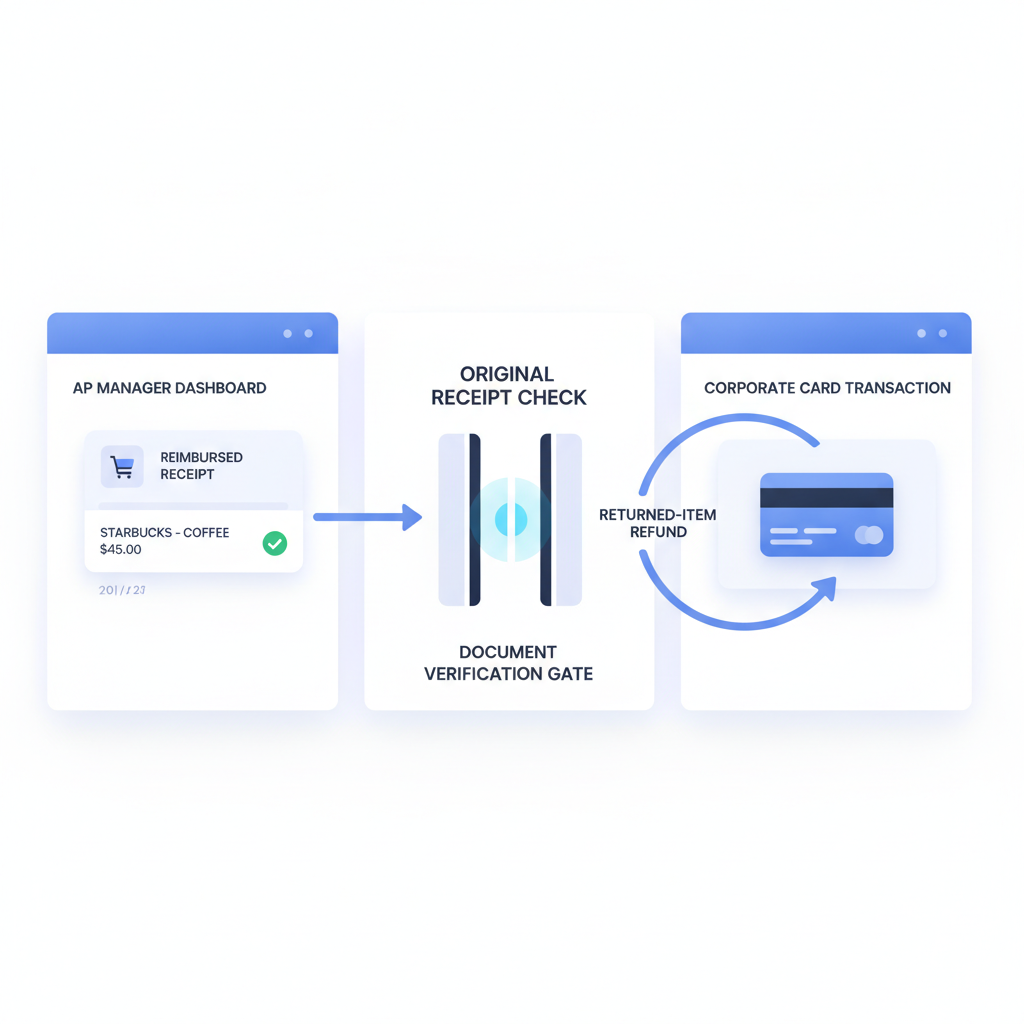
Some expense fraud starts with a fake receipt.
Some starts with a real one.
That distinction matters because finance teams increasingly build controls around the upload step, the approval chain, and the visible receipt image. Those controls are necessary, but they still miss a different failure mode: the purchase was real when submitted, then a return, refund, or merchant credit happened after reimbursement.
The practical takeaway: returned-item expense fraud needs two separate controls. First, verify that the uploaded receipt is authentic before the workflow trusts it. Then reconcile later refunds or credits so a real receipt does not become a false reimbursement.
Why This Angle Matters
A recent SAP community discussion asked a useful question: how well does Concur help with potentially fraudulent transactions when an employee gets reimbursed and then returns the Amazon purchase afterward?
That is a high-signal finance question because it exposes a control boundary many teams blur together. Receipt authenticity and post-purchase refund behavior are related, but they are not the same problem.
If AP managers, finance controllers, and ERP admins only design for one of them, the workflow still leaves money on the table.
Why Clean Expense Workflows Still Miss This
Modern expense systems do a lot well:
- capture or upload the receipt
- extract merchant, date, and amount with OCR
- match the expense to a card feed or expense line
- check policy thresholds and required fields
- route the claim for manager or finance approval
- record an audit trail after reimbursement
Dynamics 365, SAP Concur, QuickBooks-connected flows, and adjacent expense stacks are all optimized to make that path cleaner and faster.
But notice the hidden assumption: if the receipt looks legitimate and the purchase existed at submission time, the workflow often treats the claim as settled.
That is exactly where returned-item fraud fits. The document can be real. The workflow can be orderly. The reimbursement can still end up wrong.
The Failure Mode Finance Teams Actually Face
- The employee makes a legitimate purchase and receives a real receipt.
- The receipt is submitted into Dynamics 365, SAP Concur, QuickBooks, or an internal expense stack.
- The claim passes because the receipt is present, the amount is plausible, and the workflow behaves exactly as designed.
- The company reimburses the employee or closes the corporate-card exception.
- Later, the item is returned or a merchant credit posts back to the card.
- No one connects the refund to the earlier claim, so the employee keeps the reimbursement anyway.
This is why returned-item fraud is not captured by receipt review alone. The risky event happens across time, not just inside the original upload.
Why Document Verification Still Matters
It would be a mistake to hear that and conclude the receipt itself no longer matters.
Finance teams still need a document-trust gate at upload because the earlier fraud pattern remains very real: forged receipts, edited PDFs, screenshots, regenerated invoices, and AI-assisted support files can all enter the same workflow before reimbursement.
Based on the current DocVerify product and codebase, that intake-layer verification can screen receipt PDFs and common image uploads for signals such as:
- metadata anomalies that do not fit the claimed file origin
- suspicious PDF structure and suspect pages in uploaded PDFs
- screenshot or recompression traces that suggest laundering or re-export
- font and rendering inconsistencies near totals, dates, taxes, or merchant lines
- hidden-content or prompt-injection signals in PDFs that may later feed AI workflows
- model-based forgery scoring and suspicious-region heatmaps for reviewer follow-up
Those checks answer the first question: did the uploaded file deserve trust when it entered the workflow?
That question is still essential even if a second question follows later: did the economic reality of the purchase change after reimbursement?
Related AP workflow: if your team also routes invoice PDFs through OCR and approval chains, read Invoice OCR Is Not Invoice Trust. The same original-file trust gap appears before payables workflows act on edited vendor documents.
The Better Control Design: Two Layers, Not One
The safest expense architecture is:
- Verify the uploaded receipt first before OCR, matching, policy checks, approvals, or ERP posting inherit trust from it.
- Reconcile for later refunds and merchant credits after reimbursement or card settlement so returned-item behavior cannot quietly cancel the original business purpose.
That means document verification and refund reconciliation should not compete. They solve different fraud windows:
- pre-approval window: was the uploaded support file authentic?
- post-reimbursement window: did a later refund, return, or card credit unwind the expense?
Controllers who only implement the second control still miss forged uploads. Teams who only implement the first still miss later refund abuse.
What the Downstream Refund Control Should Do
The second layer is operational rather than forensic.
Depending on the stack, that usually means:
- monitoring card feeds and merchant credits after claim approval
- matching refunds back to the original reimbursed expense or card transaction
- routing refund exceptions to AP or finance ops when the employee already received reimbursement
- adjusting payroll, expense balances, or future reimbursements when a return invalidates the claim
Dynamics 365, SAP Concur, and QuickBooks ecosystems can support pieces of this through card reconciliation, reporting, or workflow automation, but the key design decision is conceptual: do not treat receipt authenticity as the end of fraud control.
What AP Managers and ERP Admins Should Ask
If your control story is “we saw a receipt and the claim passed approval,” ask two harder questions:
- Did we verify that the original uploaded file was authentic?
- Would we catch a later refund or returned-item credit after reimbursement?
If either answer is no, the workflow still has an expense-fraud gap.
The point is not to make expense approval slow. It is to stop a neat workflow from becoming confidently wrong in two different ways.
Where DocVerify Fits
DocVerify fits at the first control point: the moment a receipt, screenshot, scan, or PDF enters the workflow. Teams can screen uploaded support files through https://docverify.app before OCR, policy checks, approval routing, reimbursement logic, or downstream ERP actions inherit trust from the attachment.
Then the finance stack can add a second layer for refund and merchant-credit reconciliation after the expense moves forward.
- Try DocVerify: https://docverify.app
- Related AP reading: Invoice OCR Is Not Invoice Trust
- Expense workflow angle: Corporate Card Matching Is Not Receipt Trust
- ERP controls angle: Audit Trails Are Not Document Trust