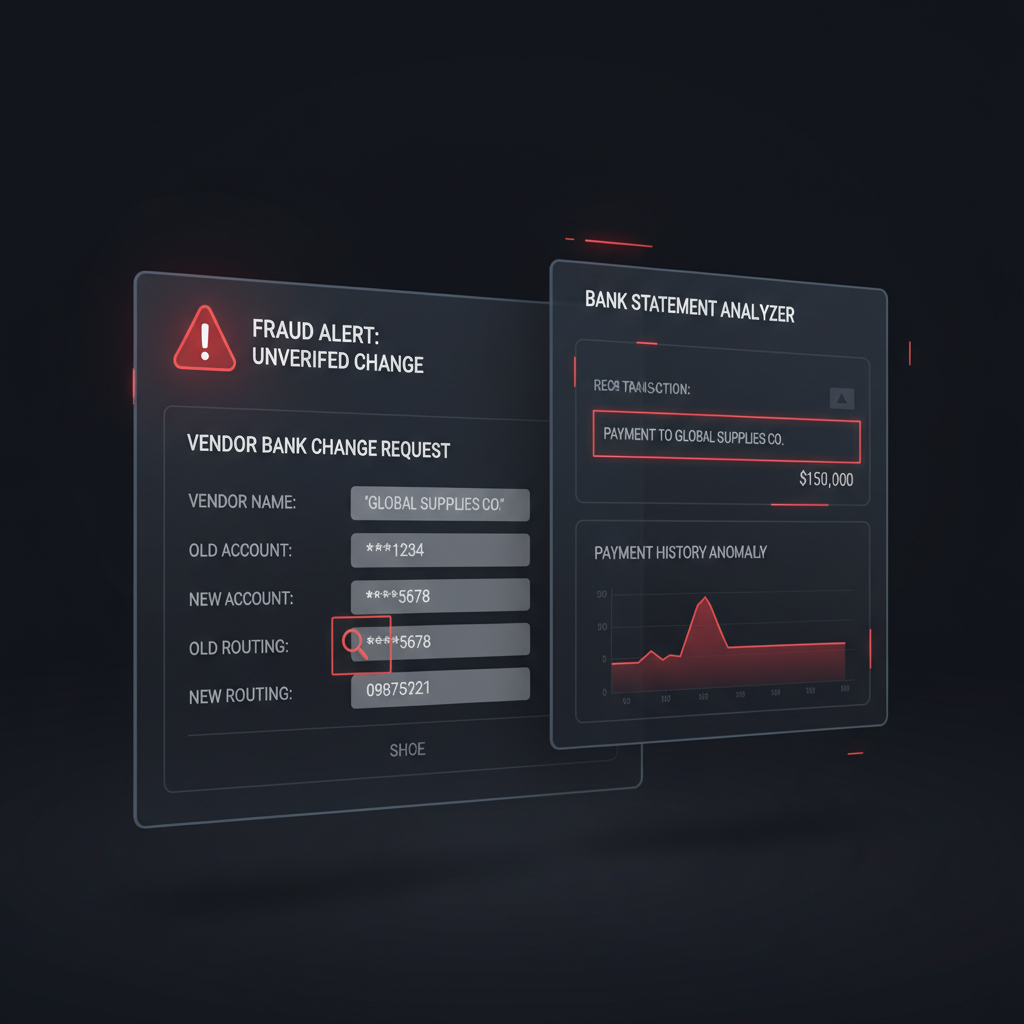
Most AP teams already know the golden rule for vendor bank changes: never trust the email by itself.
That is good advice, but in practice a lot of workflows stop one step too early. The team verifies the request channel, gets a callback, maybe routes the change through Dynamics 365, SAP, or QuickBooks, and then accepts the supporting bank statement as if the document itself must be genuine.
That assumption is exactly where document fraud still slips through.
The missing control: if a bank statement is being used as proof of account ownership for a vendor onboarding or payment-change request, the statement itself needs an authenticity check before AP trusts it.
Why This Workflow Keeps Breaking
The common attack pattern is simple:
- A fraudster compromises or convincingly imitates a supplier email thread
- They request an urgent update to payment details
- They attach a bank statement or bank letter as “proof”
- AP verifies some process steps but never verifies whether the attached document was edited or fabricated
- The vendor master is updated and the next payment goes to the wrong account
That is why “we did a callback” is not the same as “we verified the evidence.” A callback helps confirm the request path. It does not tell you whether the supporting PDF or screenshot was manipulated before it reached your queue.
Who Actually Has This Problem
This is not just an enterprise SAP problem. It shows up anywhere bank details can be added, changed, or re-verified:
- AP managers handling vendor onboarding and change requests
- Finance controllers approving master-data updates in ERP systems
- Procurement or supplier-ops teams collecting supporting documents from vendors
- Lean finance teams on QuickBooks or mid-market stacks where one person may review both the request and the attachment
The risk is operationally annoying because the request often looks legitimate. The fraudster uses real supplier names, believable urgency, and a document that appears to come from a bank portal. The workflow is not failing because nobody cares. It fails because the document is treated as proof instead of as untrusted input.
Where Bank Statement Verification Fits
Bank statement verification is not a replacement for callback controls, approval routing, or bank-account validation services. It is the step that answers a narrower but critical question:
Does the uploaded statement itself look authentic enough to be used as evidence in this workflow?
That question matters because AP teams increasingly receive statements as PDFs, screenshots, scans, mobile exports, or forwarded attachments. Every one of those can be edited.
A practical workflow looks like this:
- Request intake through vendor portal, secure form, or controlled inbox
- Document verification on the submitted bank statement before the file is trusted
- Independent callback or out-of-band confirmation using known supplier contact details
- Vendor-master approval inside the ERP or AP platform
- Audit logging of who requested, who verified, what evidence was reviewed, and why the change was approved
Put differently, bank statement verification belongs before the vendor master update, not after the payment has already been misrouted.
Why ERP Approval Is Not Enough
ERP and AP platforms are good at workflow control. They can require dual approval, track the requestor, enforce field completion, and record the change history.
What they typically do not do is inspect the attached statement for signs of tampering.
That means a forged or edited statement can pass through a well-governed process if every reviewer assumes the document is genuine. The workflow is compliant. The evidence is not.
This is the same broader trust gap AP teams face with vendor invoices. We covered that in Invoice OCR Is Not Invoice Trust. The document type changes, but the control problem is the same: a downstream system treats extracted or reviewed content as trustworthy before the source document has been verified.
What DocVerify Can Concretely Check Here
Based on the current product and codebase, DocVerify is a fit for this workflow because it can analyze the kinds of files AP teams actually receive, including PDFs and common image formats.
Relevant signals in this bank-statement workflow include:
- metadata anomalies that suggest unusual export or edit chains
- recompression traces and image-level tamper signals on uploaded statement screenshots or scans
- suspicious PDF edit trails where statement content may have been changed after generation
- font provenance mismatches that suggest multi-tool editing inside a PDF
- glyph anomalies where altered text fields do not match surrounding content cleanly
- occluded or hidden PDF text that can indicate manipulated overlays
- model-based tamper localization to highlight suspicious regions for reviewer attention
That does not magically prove account ownership on its own. What it does is stop your team from using a suspicious document as “proof” just because it looked normal in the inbox.
A Better AP Decision Rule
If a supplier bank change matters enough to require a supporting statement, it matters enough to verify that statement before the change is approved.
That leads to a much cleaner operating rule:
- Clean document + clean callback + valid approval chain → continue
- Suspicious document → stop, escalate, and verify through a separate path
- Missing evidence → do not update the vendor master
The key is sequencing. The workflow should not treat the statement as evidence until the statement itself has passed scrutiny.
What This Looks Like in Practice
For a Dynamics 365 or SAP team, this can sit as a pre-approval control before bank details are changed in the supplier record. For a QuickBooks-based team, it can sit in the intake layer between the vendor email and the bookkeeping action. For custom AP automation, it can run as an API call before the request hits the approval queue.
DocVerify is built to provide that intake-layer trust signal. Teams can send the submitted document through the product or API, get back a structured authenticity assessment, and route suspicious files to human review before the workflow changes any payee details.
If you want the practical product path, see https://docverify.app.
Stop Trusting the Attachment Too Early
Vendor bank change fraud is usually described as an email-security or process problem. It is that, but it is also a document-trust problem.
If your AP workflow accepts a bank statement as evidence for account ownership, then bank statement verification belongs inside the workflow, not as an afterthought once money has already moved.
- Try DocVerify: https://docverify.app
- Related AP reading: Invoice OCR Is Not Invoice Trust
- Broader bank statement fraud angle: Fake Bank Statements in Lending and Onboarding