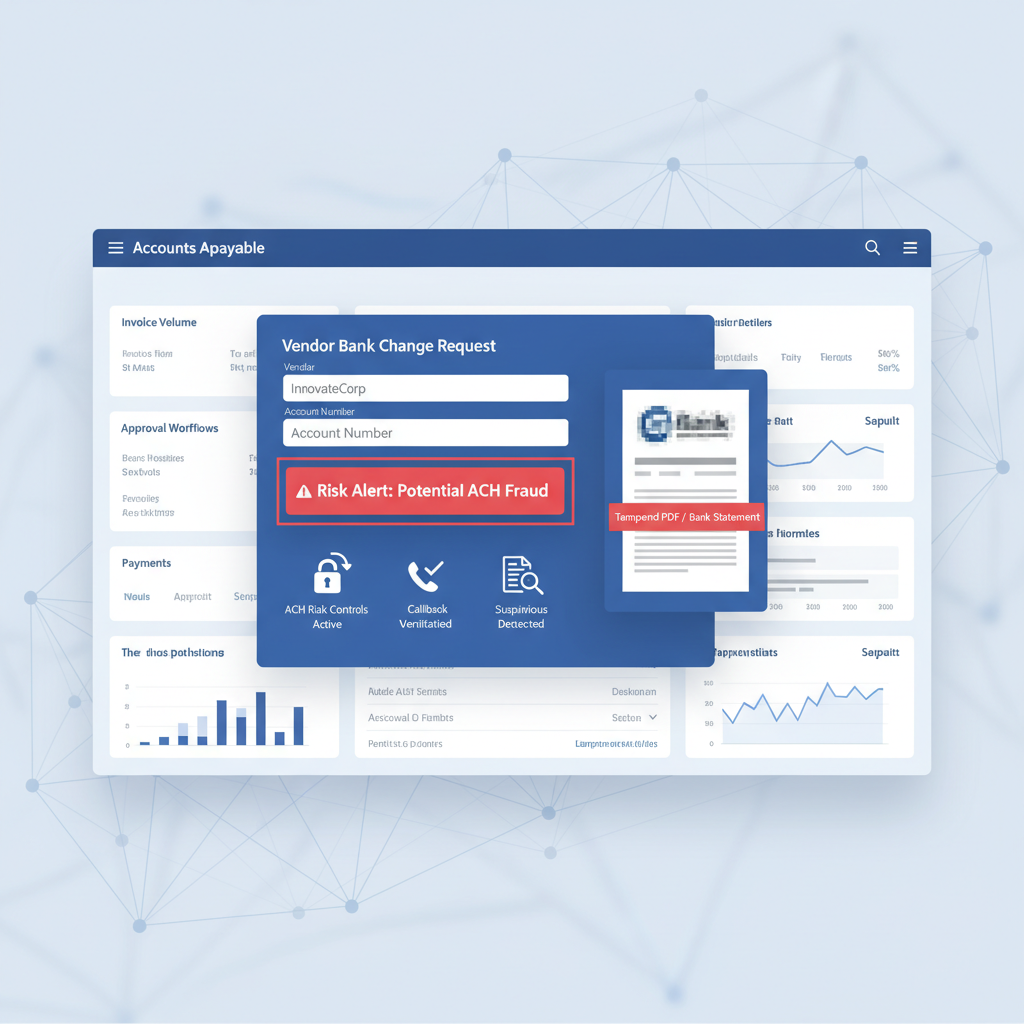
AP teams are under real pressure to tighten vendor-payment controls in 2026. Nacha's newer risk-management expectations, rising vendor impersonation scams, and a wave of vendor-validation tools have all pushed the same message: treat bank-detail changes as a fraud surface, not routine admin work.
That shift is good. But there is still a gap in many workflows.
The remaining gap: stronger vendor validation does not automatically verify whether the uploaded bank statement, bank letter, or supporting PDF was manipulated before AP used it as evidence.
In other words, the process may be tighter while the document is still trusted too early.
What Changed in 2026
Finance teams are hearing more about risk-based ACH monitoring, vendor identity controls, callback discipline, and independent payee verification. That makes sense. Payment fraud is moving upstream into vendor setup and bank-detail change workflows, where a single bad approval can redirect an entire payment run.
At the same time, AP software buyers are increasingly adopting vendor-validation platforms and formalizing controls around new payees, changed bank details, and first-time payments. The workflow is getting better at asking, "who are we paying, and should this change be trusted?"
But there is a second question that often stays unanswered: "is the document we received as proof actually authentic?"
Why This Gap Persists Even in Better AP Stacks
A modern vendor-change workflow might include:
- dual approval for supplier bank-detail changes
- an out-of-band callback using known contact details
- ERP vendor-master controls in Dynamics 365, SAP, or QuickBooks-connected AP tools
- vendor-validation software checking payee identity or bank-account relationships
- fraud monitoring on new or changed ACH recipients
Those are all useful controls. But they mostly validate the request path, the payee, or the transaction risk. They do not necessarily validate the attachment itself.
That matters because AP teams still receive support files all the time: bank statements, voided checks, bank letters, portal exports, screenshots, and other proof-of-account documents. If one of those files has been edited, the workflow can still absorb false evidence even when the approval process looks disciplined on paper.
What Fraudsters Need You to Believe
In many vendor fraud attempts, the attachment is not the only control. It is the confidence booster.
The email looks normal. The callback may even be socially engineered. The request fits a believable business context. Then the attacker adds a document that appears to confirm the new bank details or account ownership.
That file does not need to defeat every control. It only needs to make the reviewer more comfortable approving the change.
So the practical question for AP is not just whether the workflow had approvals. It is whether the supporting evidence was trustworthy enough to deserve those approvals.
Where Document Verification Fits
The cleanest place for document verification is before the supporting file becomes trusted workflow evidence.
A practical sequence looks like this:
- Vendor change request arrives through portal, inbox, or AP intake layer
- Supporting documents are screened for authenticity before the reviewer treats them as proof
- Vendor validation and callback controls run using independent contact and payee data
- ERP or AP approval routing continues only once the document and the process both look credible
- Suspicious files escalate to manual review before the vendor master or payment instructions change
This is why document verification complements vendor-validation software instead of replacing it. One checks who and where the money should go. The other checks whether the evidence file itself deserves trust.
What DocVerify Can Credibly Check Here
Based on the current product and codebase, DocVerify is a fit for this intake step because it already analyzes PDFs and common image uploads, the same formats AP teams routinely receive as supporting evidence.
Relevant signals in this workflow include:
- metadata anomalies that suggest unusual creation or edit chains
- PDF structural flags that do not match the claimed origin of the document
- font provenance and glyph anomalies that can surface inserted or altered text
- occluded or hidden text analysis where overlays may conceal changes
- compression and image-forensics signals on screenshots, scans, and exported images
- model-based tamper localization to direct reviewer attention to suspicious regions
That does not replace callback controls, payee verification, or bank-account validation. It closes a different gap: the one where a manipulated document quietly becomes evidence inside a better-governed process.
This is closely related to the broader AP trust problem we covered in Invoice OCR Is Not Invoice Trust. The document type is different, but the failure mode is the same: workflow maturity does not equal document authenticity.
A Better AP Rule for 2026
If a supporting file matters enough to justify a vendor-master change or payment release, it matters enough to verify before it is trusted.
- clean document + independent validation + clean approval chain → continue
- suspicious document → escalate before changing bank details
- uncertain document provenance → do not let the attachment become proof by default
That is the control stack AP teams increasingly need: stronger vendor validation, stronger payment monitoring, and a document-authenticity layer at intake.
If you want the product path for that workflow, see https://docverify.app.