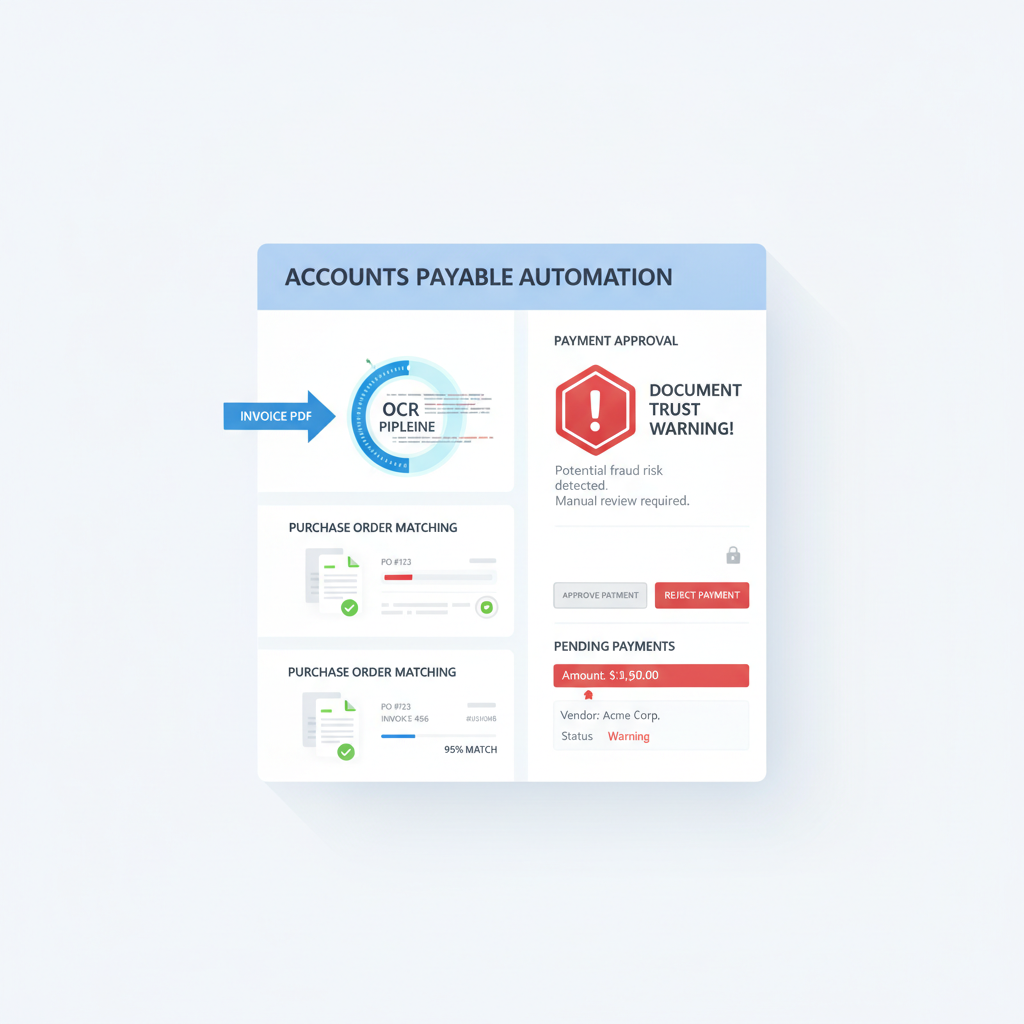
A useful AP automation discussion this summer described a workflow many finance teams now recognize instantly: invoices land in an inbox, an LLM or OCR layer reads the PDF, the system checks for a purchase order, and then payment or approval logic takes over.
That is a sensible workflow. It is also where many teams overestimate what their controls actually prove.
The missing distinction: PO matching can tell you whether invoice data aligns with the process. It does not tell you whether the uploaded invoice document itself is authentic.
Why This Matters for AP Teams Right Now
AP automation stacks have improved quickly. NetSuite, ERP-adjacent tools, inbox-driven capture flows, and custom finance automations can now extract fields, route approvals, compare against purchasing records, and prepare payment decisions with much less manual effort than before.
That speed creates a trust trap. Once the invoice parses cleanly and appears to match the PO, teams start treating the document as settled evidence.
But a clean match is not the same thing as a trustworthy source file.
What PO Matching Actually Proves
Three-way matching is valuable because it answers operational questions such as:
- Was there an approved purchase order?
- Did the goods or services get received?
- Does the invoice amount line up with the expected transaction?
Those are important controls. They reduce payment errors and certain classes of procurement abuse.
What they do not answer is whether the invoice PDF was edited, rebuilt, overlaid, or re-exported before it ever reached the matching engine.
How an Edited Invoice Can Still Pass
The failure mode is not always dramatic fraud with obviously fake vendor details. Often the risky invoice is the one that still looks professionally ordinary:
- a legitimate supplier template with changed bank details or totals
- a forwarded PDF edited before it entered the inbox
- a rescanned or flattened version that hides revision history from human reviewers
- a near-match invoice where the manipulated values are close enough to clear tolerance rules
In each case, OCR may extract the visible data perfectly. Matching logic may confirm that the visible numbers resemble the expected transaction. The workflow feels controlled while the source file remains unverified.
Why NetSuite and Similar AP Workflows Are Exposed
NetSuite and similar AP environments are built to keep documents moving after intake. That usually means:
- the invoice lands by email, portal, or shared upload flow
- OCR or an LLM extraction step runs on the uploaded file
- the system checks the PO, receipt, or coding rules
- approvers review a structured summary rather than the raw document history
- payment or ERP posting continues if nothing looks wrong
That architecture is excellent for throughput. It does not inherently decide whether the uploaded invoice deserves trust before the rest of the workflow compounds confidence around it.
Where Document Verification Belongs
The sequencing fix is straightforward:
- Invoice arrives through the normal AP intake path.
- Verification runs on the original file before OCR, matching, or approval logic inherit trust from it.
- Low-risk files continue into extraction, PO matching, coding, and payment workflows.
- Suspicious files branch into an AP or fraud-review queue with evidence attached.
- Only then should the workflow treat the invoice as safe enough for ordinary approval logic.
This does not slow every invoice down. It creates a smaller exception lane for the files that deserve more scrutiny.
What Verification Should Check
Based on the current DocVerify product and codebase, relevant invoice signals include:
- metadata and edit-history anomalies that suggest unusual file creation or modification chains
- suspicious PDF structure or revision patterns that may indicate hidden changes or substitutions
- layered or hidden content that can conceal edits behind a clean-looking page
- font and rendering inconsistencies around totals, remit-to details, dates, or invoice numbers
- tamper or clone signals in the visual content
- suspicious-region heatmaps so AP reviewers know where to look first
Those checks answer a different question from PO matching. They ask whether the source document itself looks trustworthy enough to enter the rest of the AP process.
Related AP workflow: if your team already relies on invoice OCR and approval routing, read Invoice OCR Is Not Invoice Trust. The same pre-approval trust gap shows up long before payment runs begin.
What This Changes for AP Leaders
If your current answer to invoice fraud is “we already have three-way matching,” you may be solving the wrong layer of the problem.
Matching helps validate business-process consistency. Verification helps determine whether the uploaded file should be trusted as evidence in the first place.
The strongest AP stacks increasingly use both:
- verification to assess the document
- OCR to read it
- matching and approvals to decide what should happen next
Put Trust Before Payment Logic
If your AP workflow can read an invoice and match it to a PO but still cannot tell you whether the uploaded PDF itself was manipulated, the trust gap is still open.
DocVerify is built for that earlier control. Teams can screen uploaded PDFs and common image formats through https://docverify.app before OCR, NetSuite routing, PO matching, approval summaries, or payment workflows start treating the invoice as trustworthy evidence.
- Try DocVerify: https://docverify.app
- Related AP reading: Invoice OCR Is Not Invoice Trust
- Broader comparison: AP Automation OCR vs Document Verification