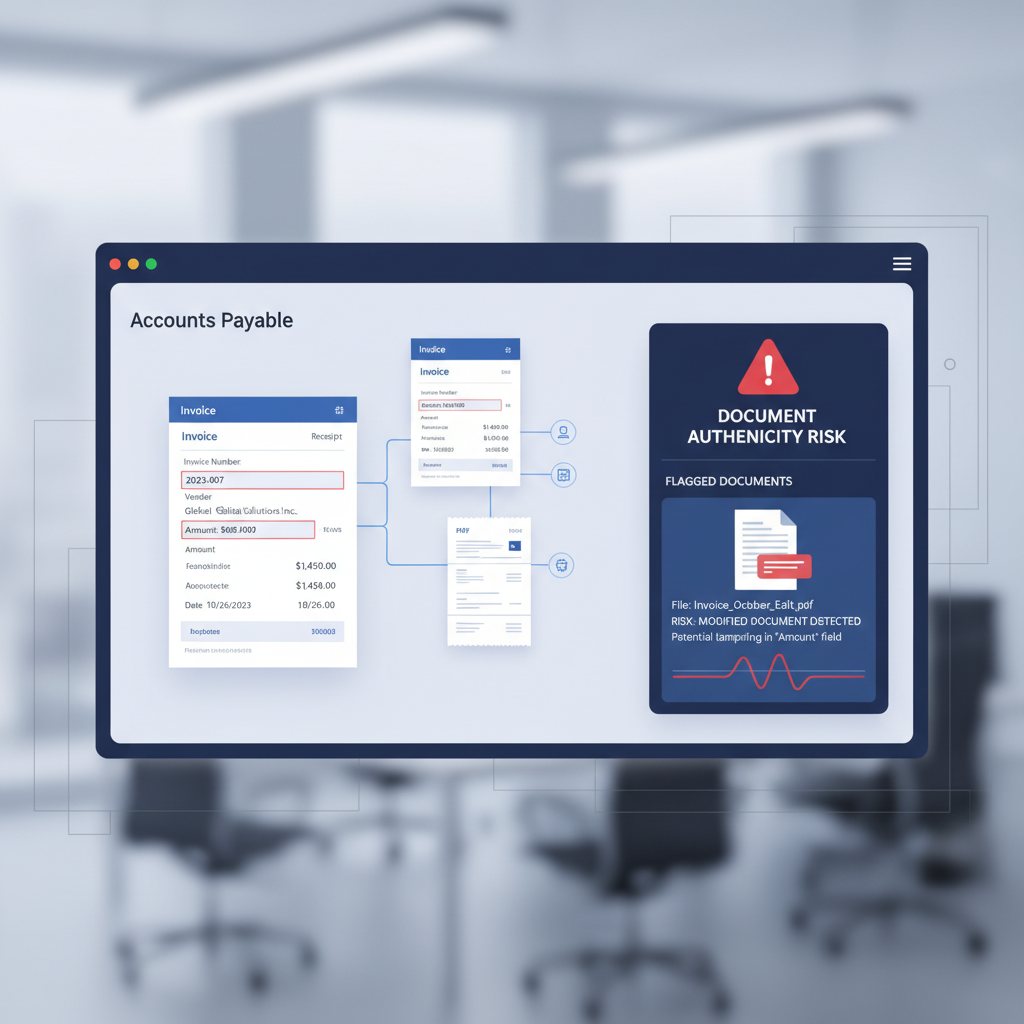
Across Reddit threads, finance communities, and AP software buying conversations, the same pattern keeps showing up: teams want better OCR, faster invoice capture, and less manual data entry.
That demand is real. OCR is valuable. But it is solving a different problem than the one AP leaders are increasingly worried about in 2026.
OCR helps your system read a document. It does not help your system decide whether the document should be trusted.
The practical distinction: OCR turns invoices and receipts into structured data. Document verification checks whether the invoice or receipt itself appears genuine, edited, or synthetic.
Why This Comparison Matters Right Now
AP automation is improving quickly. Teams can ingest invoices from email, scan receipt uploads from mobile devices, route documents through approval workflows, and sync data into Dynamics 365, SAP, QuickBooks, NetSuite, or custom finance systems with far less manual work than even two years ago.
At the same time, forged business documents are getting easier to produce. A fraudster does not need to break your workflow. They only need to supply an input that looks legitimate enough to be processed by it.
That is why the buying question is shifting from "Which OCR tool reads this invoice best?" to "What stops our automation stack from confidently processing a fake?"
What OCR Is Actually Good At
OCR is excellent at converting visible content into usable fields. In an AP workflow, that usually means:
- vendor name
- invoice number
- invoice date
- due date
- line items
- totals, taxes, and currency
- receipt merchant, date, and amount
That extracted data then drives the rest of the workflow. It powers coding suggestions, duplicate checks, approval routing, spend analytics, and ERP posting. OCR is the intake layer that makes AP automation possible.
If your team still keys fields by hand, OCR is an immediate upgrade.
What OCR Does Not Do
OCR does not evaluate authenticity.
If a vendor invoice has been edited in a PDF tool, OCR will often extract the edited amount perfectly. If a receipt was generated from a fake receipt template, OCR will read the merchant name, timestamp, and total exactly as shown. If a bank statement was manipulated before being attached to a credit or reimbursement workflow, OCR will faithfully extract the manipulated balances.
In other words, OCR can be accurate about fraudulent content.
That is not a flaw in OCR. It is just not the job OCR was designed to do.
What Document Verification Adds
Document verification works on a separate layer. Instead of extracting the visible text, it analyzes whether the file itself shows signs of tampering, synthetic generation, or inconsistent provenance.
For AP teams, that means screening for things like:
- edited PDF structure or text-layer substitutions
- metadata inconsistencies between claimed source and actual file history
- visual manipulation artifacts in images and scans
- synthetic layout or rendering patterns that differ from real source documents
- signals that a receipt or invoice was assembled rather than issued
DocVerify is built for this trust layer. In the product today, teams can upload PDFs and common image formats through the dashboard or API and receive a verdict with structured analysis rather than a raw OCR dump. That makes it usable as a gating signal before approval, payment, or downstream automation.
OCR vs Document Verification in One Sentence
OCR tells your system what to process. Document verification helps decide whether the system should trust it first.
The strongest AP stacks increasingly use both.
A Simple AP Workflow Example
Imagine an AP inbox that receives a vendor invoice PDF.
- OCR layer: extract vendor name, invoice number, date, line items, and total.
- Workflow layer: run duplicate checks, PO matching, coding logic, and approval routing.
- Verification layer: assess whether the PDF itself looks authentic or whether it shows signs of editing or fabrication.
- Decision layer: low-risk documents continue automatically, higher-risk documents go to manual review.
Without step three, your workflow can be highly automated and still trust the wrong file.
Why Finance Teams Keep Confusing These Categories
Because most automation vendors sell the outcome, not the control boundary.
Marketing copy often bundles OCR, AI extraction, workflow automation, anomaly detection, duplicate detection, and fraud reduction into one story. But under the hood these are different jobs:
- OCR reads
- AP automation routes
- ERP controls enforce policy
- Document verification evaluates authenticity
When teams buy "better OCR" to solve a trust problem, they usually end up disappointed for a simple reason: the wrong layer got upgraded.
Related reading: For AP teams dealing with vendor invoices specifically, see Invoice OCR Is Not Invoice Trust. The same control gap appears whenever edited PDFs enter an approval workflow.
Where DocVerify Fits in an Existing Stack
DocVerify is not a replacement for your ERP, intake inbox, or OCR provider. It sits in front of, or alongside, those systems as a trust checkpoint.
That usually looks like one of three patterns:
- Pre-ingestion check: verify the file immediately after upload, before extracted fields feed downstream logic
- Queue triage: let all documents enter the queue but automatically hold suspicious ones for analyst review
- Background control: run verification on selected categories such as invoices over a threshold, employee expenses, or first-time vendor submissions
For teams already automating finance operations, this is usually easier to adopt than replacing the full AP workflow. You keep the routing, coding, and approval machinery you already have. You just stop treating every attached document as trustworthy by default.
How to Decide What to Buy First
If your biggest pain is manual entry, OCR is probably the first fix.
If your bigger concern is forged invoices, altered receipts, or edited PDFs clearing automated workflows, OCR alone is not the answer. You need a verification layer.
And if you already have AP automation in place, adding document verification is often the highest-leverage next control because it protects the rest of the stack from bad inputs.
The 2026 AP Buying Heuristic
Ask every vendor, internal team, or workflow owner these two questions separately:
- How do we extract data from the document?
- How do we know the document itself is authentic?
If the second answer collapses back into the first, the gap is still open.
Try the Trust Layer Before Approval
DocVerify helps finance and automation teams evaluate uploaded PDFs and images before they are trusted by downstream systems. That is useful whether the next step is OCR, AP automation, an ERP approval chain, or an AI agent making decisions from extracted data.
- Try DocVerify: https://docverify.app
- See the AP invoice angle: Invoice OCR Is Not Invoice Trust
- Want the API path: How to integrate document verification into your workflow