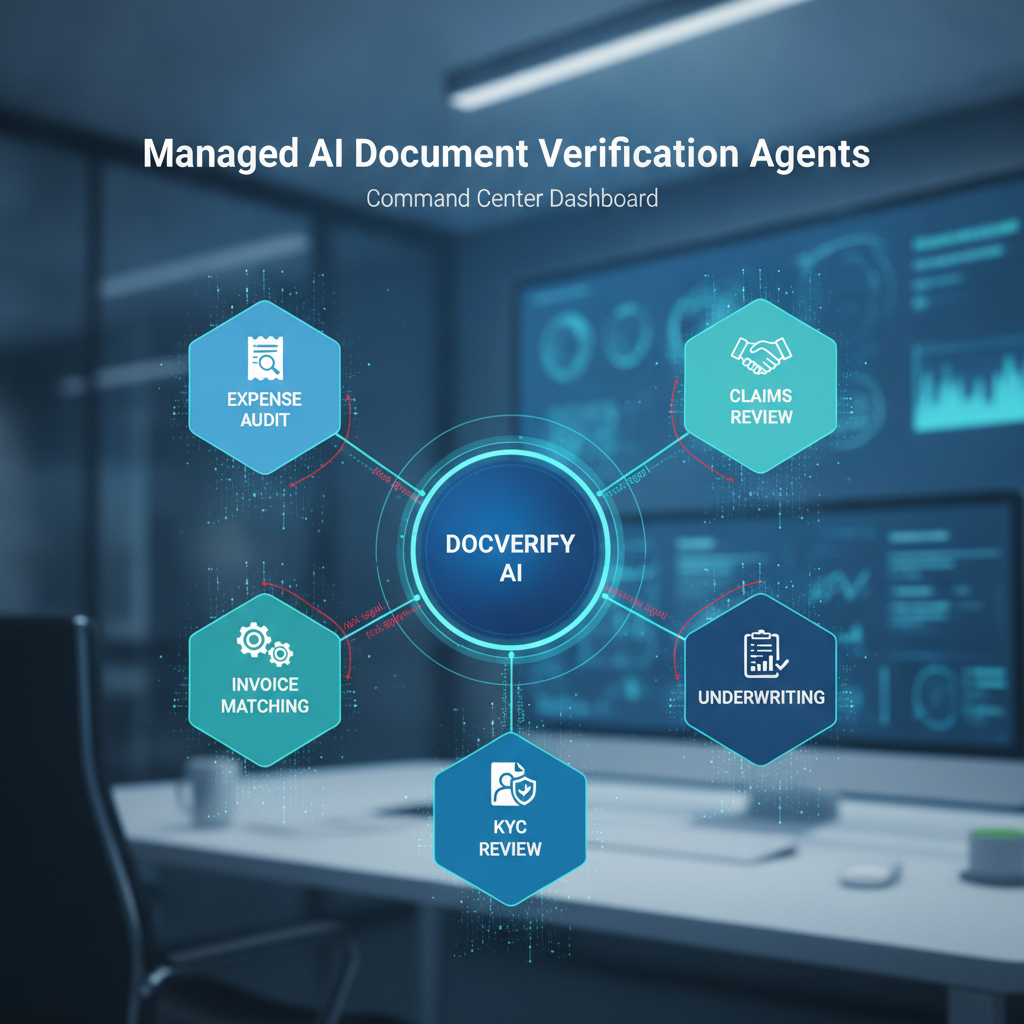
The strongest use case for DocVerify is not only "upload a document and get a fraud score."
The stronger use case is a managed agent that knows what the business is trying to decide.
An expense team does not just need receipt OCR. It needs to know whether the receipt is authentic, whether it violates policy, whether the amount reconciles, and whether the case should be approved, held, or escalated. A lender does not just need a bank statement parser. It needs a workflow that checks document authenticity, extracts the right fields, compares them to the application, and flags suspicious gaps.
The managed-agent promise: DocVerify can build document verification agents that combine file forensics, policy logic, structured extraction, and escalation rules for a specific business workflow.
Why Managed Agents Are Different From Generic Automation
Generic document automation usually starts with reading: OCR, parsing, summarization, classification, and routing.
Managed document verification agents start earlier. They ask whether the document deserves trust before the workflow begins acting on the extracted content.
That order matters because a fake document can still be easy to read. A forged receipt can extract cleanly. A manipulated invoice can match the schema. A fake bank statement can produce tidy rows. If the workflow starts with extraction, it may become very efficient at processing bad evidence.
A managed agent should combine four jobs:
- Verify the file for tampering, generation, structural anomalies, metadata signals, and suspicious regions.
- Extract the relevant fields only after the document has a trust signal attached.
- Apply the business checklist from policy, underwriting rules, compliance requirements, or approval logic.
- Return a decision-ready result: pass, hold, request replacement, retry direct-source verification, or escalate to a reviewer.
Managed Agents DocVerify Can Build
Expense receipt audit agent
For finance teams reviewing reimbursement claims, a managed receipt agent can check whether the receipt image or PDF looks authentic, extract merchant/date/amount details, compare the claim against policy, and flag suspicious screenshots, edited totals, duplicate-style submissions, or unsupported categories.
This is useful before expenses reach SAP Concur, Dynamics 365, QuickBooks-connected workflows, or a manager approval queue.
Invoice and PO matching agent
For AP teams, an invoice agent can verify whether the PDF has suspicious edit history, extract invoice fields, compare them against a purchase order, check bank-detail changes, and flag duplicate invoice numbers or mismatched line items.
The point is not to replace the ERP. The agent screens the evidence before the ERP workflow trusts it.
KYC and vendor onboarding agent
For onboarding workflows, a managed agent can inspect IDs, business registrations, utility bills, bank letters, ownership documents, certificates, and uploaded proof files before the compliance team treats them as reliable.
It can combine document authenticity checks with customer-specific requirements such as required issue dates, jurisdiction rules, missing pages, or name/address consistency.
Proof-of-income and underwriting agent
For lenders, landlords, and fintech teams, a managed underwriting agent can verify pay stubs, bank statements, tax documents, and employer letters before OCR or analyst review turns them into decision inputs.
It can flag manipulated balances, inconsistent fonts, suspicious PDF structure, mismatched applicant details, missing statement periods, or documents that should be replaced with a direct-source retry.
Insurance claims review agent
For claims teams, an agent can screen repair estimates, receipts, invoices, medical bills, damage photos, and supporting PDFs for manipulation before a claims workflow or adjuster treats them as evidence.
The agent can separate document-trust risk from claim-coverage logic, which helps reviewers focus on the cases where the evidence itself is weak.
Custom compliance agent
Many teams have narrow document checks that do not fit a generic product page: certificate of insurance review, title deed checks, SOX evidence review, customs declarations, grant applications, safety reports, or internal approval packets.
Those are good managed-agent candidates when the workflow has three ingredients: uploaded documents, repeatable review rules, and a real cost when bad evidence gets trusted.
What a Customer Provides
A managed agent does not need to start with a perfect integration spec. The first version can usually start from:
- sample documents the team already reviews
- the review checklist a human currently follows
- the escalation rules for suspicious, incomplete, or policy-failing cases
- the desired output format for dashboards, APIs, queues, or downstream systems
- the acceptable risk bands for low-value vs high-value decisions
DocVerify turns that into a structured workflow: verify the document, extract the facts, apply the checklist, return the result, and preserve the evidence trail.
Where the Agent Sits
The best place for a managed agent is usually at intake, before other systems inherit trust from the file.
Common patterns:
- Before OCR in AP, expense, or underwriting workflows
- Before ERP approval in SAP, Dynamics, QuickBooks, or custom finance stacks
- Before KYC review when uploaded identity or business documents enter a queue
- Before claims decisions when supporting evidence affects payout or escalation
- Before AI agents read the document in agentic workflows that summarize, route, or act on files
The agent can expose results through a dashboard, REST API, or agent-compatible tooling. The workflow can be as simple as a reviewer queue or as integrated as a pre-approval API call.
The Buyer Question
The right question is not "can AI read this document?"
The right question is: "Can we build an agent that reviews this document the way our best operator would, with file forensics first and policy logic second?"
That is where managed agents are useful. They make the review repeatable without pretending every case should be fully automatic.
DocVerify can help teams build managed document verification agents for finance, risk, compliance, underwriting, claims, and operations workflows. Start with the documents your team already reviews manually, and turn the checklist into a managed agent.
- See managed agent workflows: DocVerify AI Agent Workflows
- Core verification layer: AI Document Verification API
- Try DocVerify: https://docverify.app