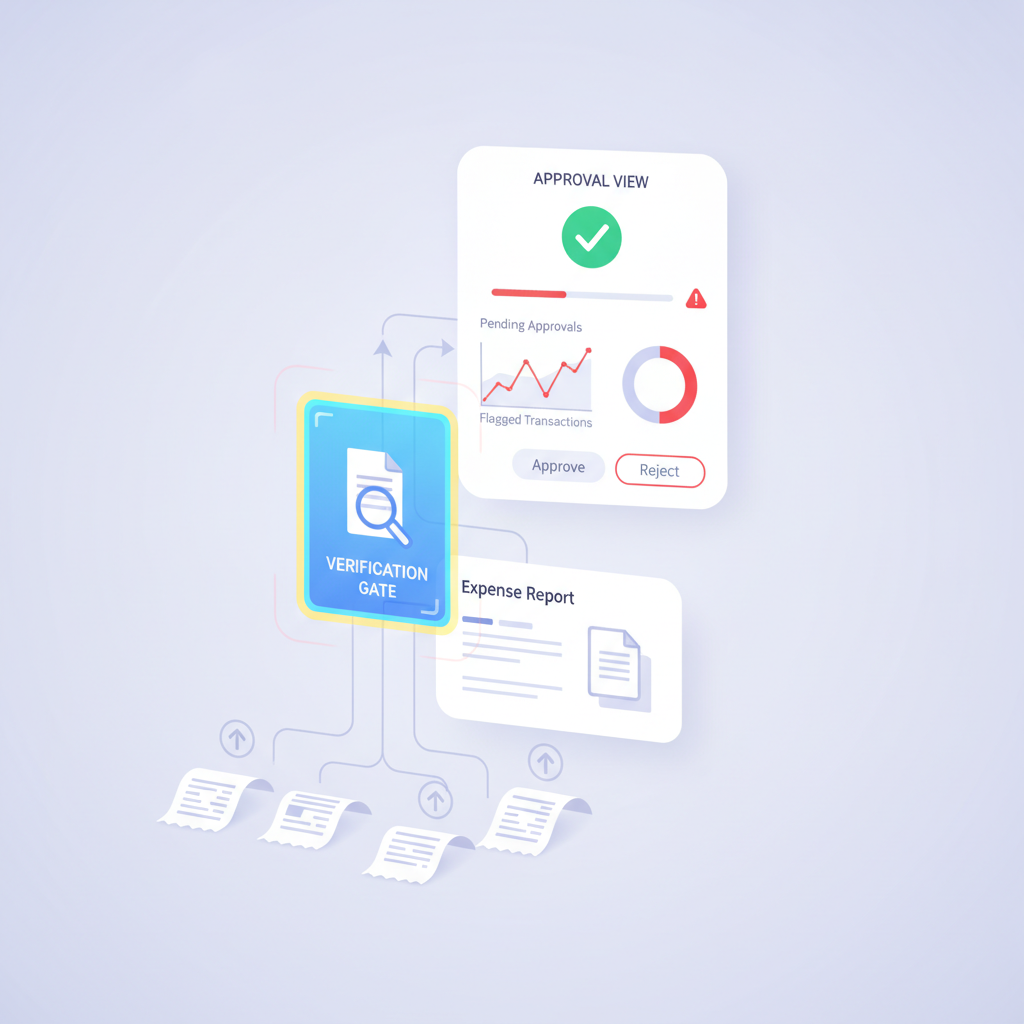
A small Dynamics 365 workflow complaint reveals a much bigger finance-control problem: once receipts stop feeling like separate files and start feeling like one clean expense report, approvers often inherit trust they never consciously granted.
That is not just a UI detail. It is one of the easiest ways document trust spreads through an ERP expense workflow before anyone has verified the original receipt file.
The blind spot: a report-level receipt view improves convenience, but convenience is not the same thing as document authenticity. When line-level uploads roll into a cleaner approval object, fraud can look more settled than it really is.
Why This Matters Now
Modern expense systems are optimized to reduce friction. Microsoft’s Dynamics 365 expense workflows emphasize mobile capture, receipt attachments, and OCR-based reconciliation. Other ERP and spend tools do the same. The platform objective is obvious: get the receipt into the system, associate it to the right expense, and move approval forward quickly.
That is operationally good design. It also creates a subtle trust problem. The cleaner the approval surface becomes, the easier it is for managers, controllers, and ERP admins to assume the supporting document has already passed a meaningful authenticity check.
In many stacks, it has not.
What the Rollup Actually Changes
At upload time, a receipt is still a file with a provenance story: maybe it came from a phone camera, maybe from email, maybe from a PDF export, maybe from a screenshot, maybe from a graphics editor.
At approval time, that same file often appears as part of a tidy report packet:
- the expense line exists
- the receipt is attached
- OCR extracted readable fields
- matching or policy logic appears to line up
- the manager sees one coherent approval object
That transformation is useful, but it compresses uncertainty. The document stops looking like a raw upload and starts looking like approved support.
How Fraud Hides Inside a Cleaner Approval Surface
The risky case is rarely a cartoonishly fake receipt. It is a receipt that survives intake well enough to become part of a polished approval view:
- a real merchant receipt with an edited total
- a legitimate purchase supported by a regenerated or flattened PDF
- a screenshot that strips away more useful provenance clues
- a reused attachment that looks close enough once it sits inside the report
- a line-level edit that becomes less obvious once the reviewer consumes the whole packet at once
Once those files are rolled up into the report object, the workflow starts signaling legitimacy through presentation. Reviewers are no longer asking, “what is this file?” They are asking, “does this report look ready?”
The Real Control Question for AP Managers and Controllers
For finance teams, the right question is not whether a receipt can be displayed at the header, attached to the expense line, or included in the manager’s approval view.
The right question is:
what checked the original uploaded file before the report, OCR output, and approval workflow started inheriting trust from it?
If the answer is “the manager looked at it” or “the fields matched,” the workflow is still missing a document-authenticity layer.
Where Verification Belongs in the Expense Flow
The safer sequence is straightforward:
- Receipt arrives through mobile capture, upload, email, or connected intake.
- Verification runs on the original file before report assembly, OCR, matching, and approval logic treat it as trustworthy support.
- Low-risk files continue into expense creation, report views, manager approval, and reimbursement.
- Suspicious files branch to an exception queue with specific evidence for finance review.
- Only then should the report-level view inherit confidence from the attachment.
This does not slow every expense down. It prevents the wrong kind of speed: trust compounding around a file that never earned it.
What DocVerify Can Check Before That Trust Spreads
Based on the current product and codebase, DocVerify can analyze the original uploaded PDF or image for signals that ordinary expense workflows usually miss:
- metadata anomalies and edit-history indicators that do not fit the claimed creation path
- suspicious PDF structure including revision and modification patterns
- screenshot and recompression traces that suggest recapture or provenance loss
- font and text-region inconsistencies that can surface edited amounts or fields
- model-localized suspicious regions so reviewers know where to look first
- tamper and clone-style forensic signals that a clean approval UI would otherwise hide
That is a different job from OCR, policy checks, or manager sign-off. It answers the earlier question of whether the support file itself deserves trust.
Related AP workflow: if your team also routes vendor invoices through OCR and approval chains, read Invoice OCR Is Not Invoice Trust. The same design mistake appears when finance systems trust extracted content before verifying the underlying document.
Convenience Should Follow Verification, Not Replace It
Header-level receipt views are helpful. Rollups are helpful. OCR matching is helpful. None of those controls proves that the uploaded receipt was authentic before the workflow started treating it like evidence.
For AP managers, finance controllers, and ERP admins, that distinction matters most in the exact environments designed to remove friction. The more polished the approval experience becomes, the more disciplined the trust decision has to be.
DocVerify gives teams a way to make that decision earlier by checking the original file before the rest of the expense workflow compounds confidence around it. Teams can evaluate PDFs and common image receipts through https://docverify.app before approval, reimbursement, or ERP posting.
- Try DocVerify: https://docverify.app
- Related AP reading: Invoice OCR Is Not Invoice Trust
- Best fit: expense workflows where receipt trust spreads from upload into OCR, report assembly, manager approval, and ERP posting.